
External MIDI Mapping
Control S32 device parameters, LFO parameters, and a part’s snapshot slot from external MIDI (keyboard, DAW, another controller).
INFO
Overview and how this fits with knob macros: Mapping.
How to map
- Open the parameter list (device or LFO editor).
- Highlight the parameter.
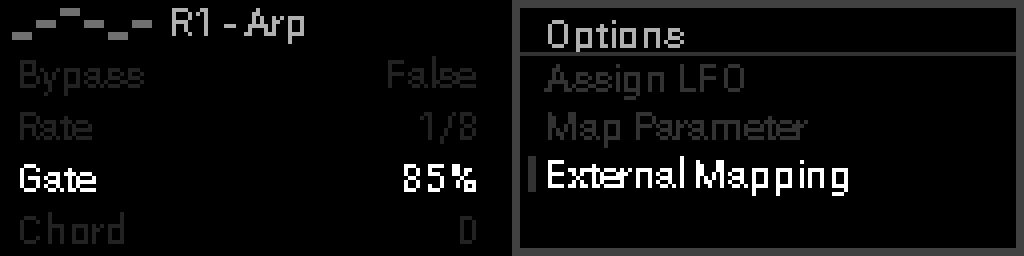
- Long-press Select → Options → Mapping → External mapping.
- Display shows: Send a note, CC, or 14-bit CC.
- Move the control on your external gear.
- Mapping is saved in the active project.
What can be learned
| Message | Behavior |
|---|---|
| CC | Value 0–127 scales to parameter min–max |
| 14-bit CC | MSB + LSB pair auto-detected for smoother control |
| Note | Velocity scales to range; on/off params toggle on each note-on |
| Program Change | Snapshot slot only: program 0–31 recalls that slot |
Snapshot slot mapping (Knobs / LFOs / a rack) is learned from that bank’s Mapping row. Notes 0–31 pick the slot (not next/prev); notes 32–127 are not consumed so they still reach devices. A CC steps through 32 slots with hysteresis so hovering a boundary does not re-fire. An empty slot does nothing. LFOs cannot modulate snapshot index.
INFO
Channel must match the learned message; any input port works.
Badges
Mapped parameters show a small badge on the list (CC number or note name):
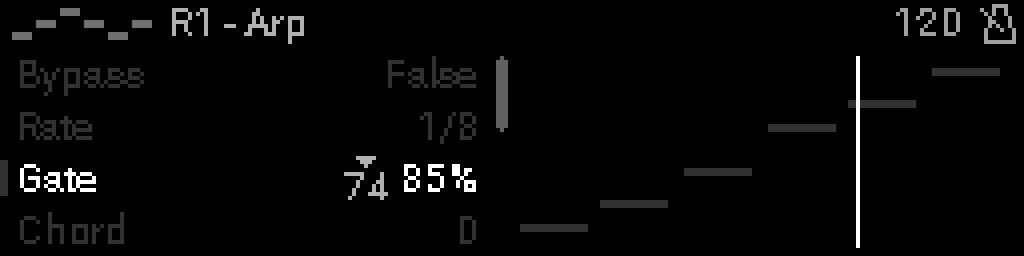
Knob-macro and LFO badges use different glyphs — see Mapping and Modulation.
Remove mapping
Long-press Select on the parameter row → Options → Mapping → External mapping.
The parameter is free for macro or LFO assignment again.
vs knob macros
| Knob macro | External mapping | |
|---|---|---|
| Source | S32 knob | Incoming MIDI |
| Setup | Perform → macro grid, or Options → Mapping → Internal mapping | Parameter list → Options → Mapping → External mapping |
| Per parameter | One macro path | One external source |
WARNING
You cannot combine macro and external mapping on the same parameter. LFO modulation is separate — see Modulation.