MIDI Device Reference
Each device is a block in a rack chain. MIDI flows through devices in order. Select a device in the rack grid to open its parameter list and visualization.
Categories
Devices are grouped the same way as on the S32 Add Device picker — alphabetical within each category.
I/O & CLOCK
GENERATIVE
PITCH & HARMONY
FILTERS
- CC TYPE FILTER — PASS OR BLOCK CC TYPES
- CC VALUE FILTER — FILTER CC BY VALUE
- CHANNEL FILTER — FILTER BY MIDI CHANNEL
- FILTER — GENERAL NOTE/CC FILTER
- NOTE RANGE FILTER — FILTER BY NOTE RANGE
ROUTING
DYNAMICS
EFFECTS
- DELAY — DELAY NOTES IN TIME
UTILITY
Adding a device
Main Menu → Midi Racks → rack → + cell → pick type from the categorized grid.
Parameter screens
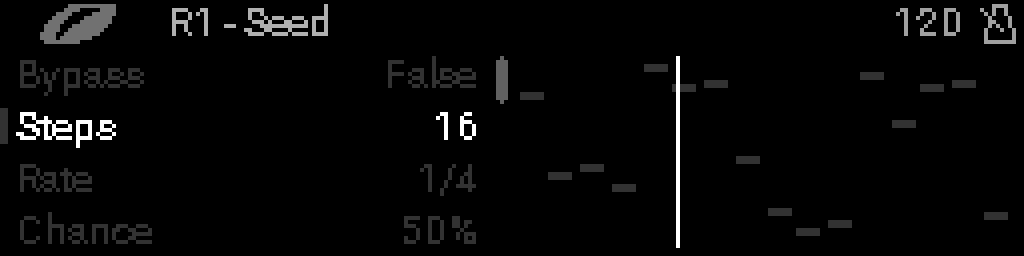
Every device has a dedicated page with a screenshot and full parameter table. Example — Seed: