
Harmony
Chord-aware note transform
When to use it
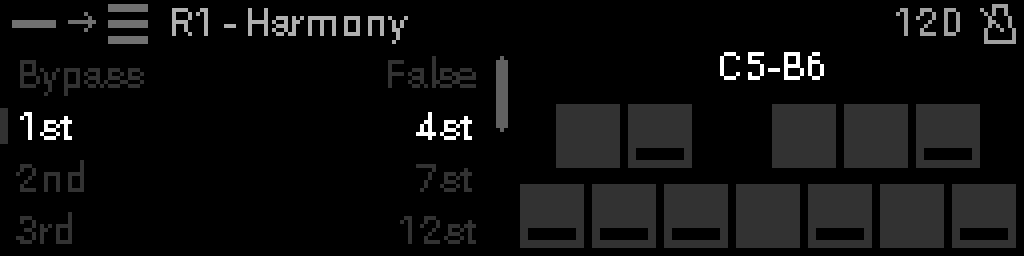
Insert Harmony after a monophonic source (Seed, keyboard input, Arp, Step Seq) to duplicate each note into up to eight interval-shifted voices for chords and voicings.
Parameters
| Parameter | Range | What it does |
|---|---|---|
| Bypass | 0 – 1 | When on, the device is disabled and MIDI passes through unchanged. |
| 1st | -24 – 24 | Semitone offset added for harmony voice 1ST (−24 to +24). |
| 2nd | -24 – 24 | Semitone offset added for harmony voice 2ND (−24 to +24). |
| 3rd | -24 – 24 | Semitone offset added for harmony voice 3RD (−24 to +24). |
| 4th | -24 – 24 | Semitone offset added for harmony voice 4TH (−24 to +24). |
| 5th | -24 – 24 | Semitone offset added for harmony voice 5TH (−24 to +24). |
| 6th | -24 – 24 | Semitone offset added for harmony voice 6TH (−24 to +24). |
| 7th | -24 – 24 | Semitone offset added for harmony voice 7TH (−24 to +24). |
| 8th | -24 – 24 | Semitone offset added for harmony voice 8TH (−24 to +24). |
| Root Note | 0 – 1 | When on, restrike the original input note together with harmony voices. |
Parameter values
Bypass
| Value | Name | Meaning |
|---|---|---|
| 0 | Off | Device is active and processes MIDI. |
| 1 | On | Device is bypassed; messages pass through unchanged. |
Root Note
| Value | Name | Meaning |
|---|---|---|
| 0 | Off | Only interval-shifted harmony notes sound. |
| 1 | On | Original note plays with harmony voices. |