
Delay
Delay notes in time
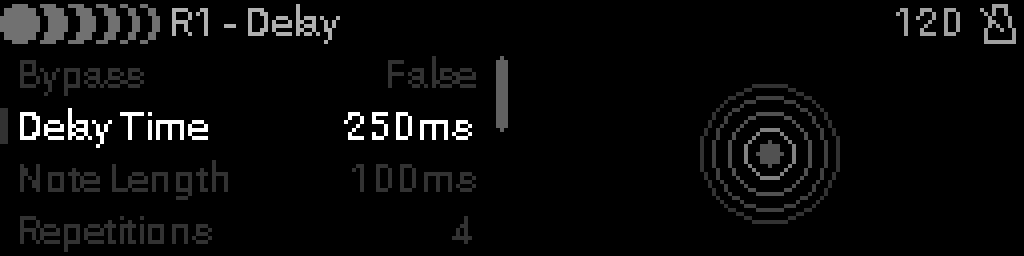
When to use it
Insert Delay to repeat notes in time with feedback and dry/wet mix — useful for echo effects, MIDI loop shading, or timed re-triggers.
Parameters
| Parameter | Range | What it does |
|---|---|---|
| Bypass | 0 – 1 | When on, the device is disabled and MIDI passes through unchanged. |
| Delay Time | 0 – 1000 | Time before the first repeat (0–1000 ms or clock-synced). |
| Note Length | 0 – 1000 | Length of each delayed note (0–1000 ms). |
| Repetitions | 0 – 10 | Number of echo repeats (0–10). |
| Feedback | 0 – 100 | Amount fed back into the delay line (0–100%). |
| Dry/Wet | 0 – 100 | Balance between original and delayed signal (0–100%). |
| Infinite | 0 – 1 | When on, repeats continue until bypassed or reset. |
| Sync | 0 – 1 | When on, rate follows MIDI clock; when off, uses async milliseconds. |
| Fixed Length | 0 – 1 | When on, delayed notes use Note Length instead of live gate. |
| Overdub | 0 – 1 | When on, new input is mixed into the delay buffer while repeats play. |
Parameter values
Bypass
| Value | Name | Meaning |
|---|---|---|
| 0 | Off | Device is active and processes MIDI. |
| 1 | On | Device is bypassed; messages pass through unchanged. |
Infinite
| Value | Name | Meaning |
|---|---|---|
| 0 | Off | Delay stops after Repetitions. |
| 1 | On | Echoes continue until bypassed. |
Sync
| Value | Name | Meaning |
|---|---|---|
| 0 | FREE | Use async time (ms) instead of clock divisions. |
| 1 | SYNCED | Step rate follows MIDI clock divisions. |
Fixed Length
| Value | Name | Meaning |
|---|---|---|
| 0 | Off | Delayed note length follows input gate. |
| 1 | On | Use Note Length parameter for each repeat. |
Overdub
| Value | Name | Meaning |
|---|---|---|
| 0 | Off | Input replaces delay buffer content. |
| 1 | On | Mix new input into running repeats. |