
Euclid
Euclidean rhythm generator
When to use it
Add Euclid after Clock for polyrhythmic Euclidean grids. Up to four layers can run in parallel with independent step counts, pulses, and rates.
INFO
Needs clock (internal or external). Euclid opens a two-tab device like Step Seq — not a long flat parameter list.
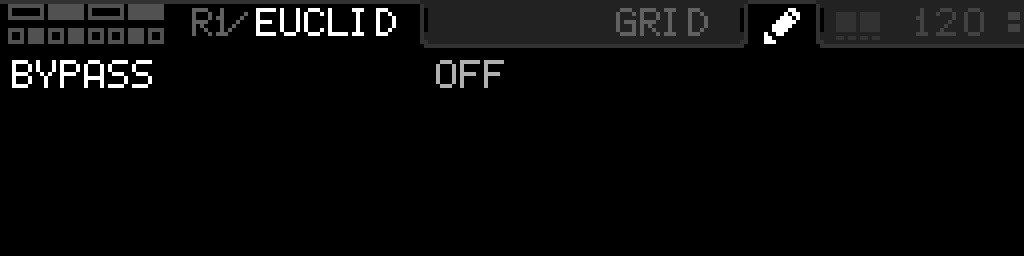
GRID and pencil
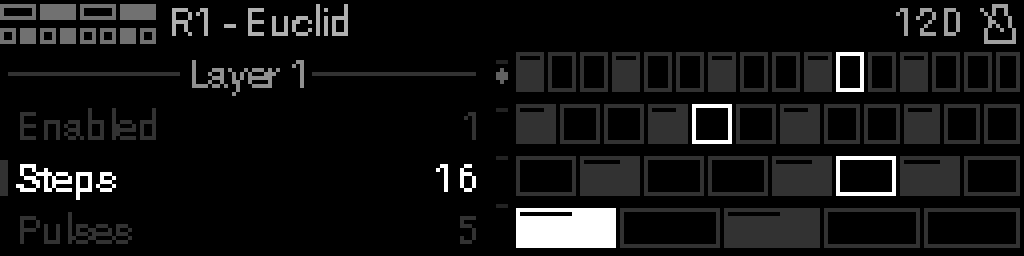
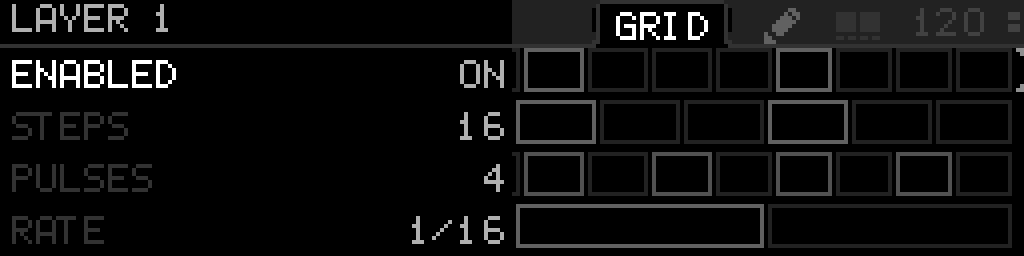
Euclid opens a full-width GRID of four layer rows. An open-left title shows the Euclid icon and R#/EUCLID. Folder tabs GRID and a pencil sit left of the BPM band. A small dim two-square mark between the tabs and the BPM is Select + Back.
| Control | GRID (layers) | Pencil (device settings) |
|---|---|---|
| Encoder | Move focus across the four layer rows (including disabled layers) | Move between settings rows |
| Select | Does not enable or disable the layer. Use Enabled on the LAYER list | Latch sticky edit on Bypass. Tap Select again to keep the value; Back restores it and leaves Euclid |
| Hold Select + encoder | Nudge that layer’s Note on a continuous row; does not open a menu. After 200 ms the header shows a circle and square | Hold-edit Bypass (that hold does not latch sticky; same circle-and-square cue) |
| Select + Back | Switch to the pencil | Switch back to GRID |
| Long-press Select | The header Select square fills while you hold, then a left list titled LAYER 1 (1-based) opens with that layer’s nine parameters | Open Options for Bypass |
| Back | Leave Euclid | Leave Euclid (does not return to GRID) |
Each layer is a strip of Step Seq pads that fills the row, even when that layer has only a few steps. Pulse steps are active pads; the rest are idle pads. Pads do not brighten for hover — the focused layer is marked with four corner ticks only. Pads do not show the layer note or a velocity bar. A 2-pixel-thick square playhead sits just inside the current step. Neighboring pads share one line so idle frames stay clean. Hold Select to change the note: the row keeps its outer box, inner walls and the playhead go away, and the note sits in the middle. Turn the encoder to change it; release Select to restore the grid. Disabled layers stay on screen and look dim. Enable or disable a layer from Enabled on its LAYER list.
With a LAYER list open on the left, tap Select on a value to latch sticky edit (same as Step Seq STEP). Tap Select again to keep the value and stay on the list. Back restores the value from when you entered and closes the list. Select + Back still switches GRID / pencil. Long-press Select on a LAYER-list row opens that row’s Options on the right.
Choosing a layer from Options
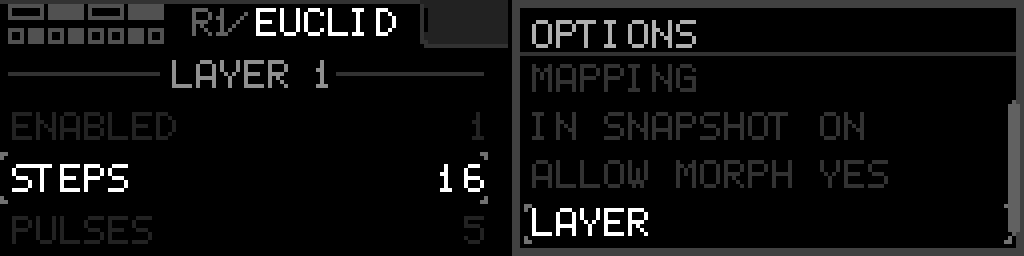
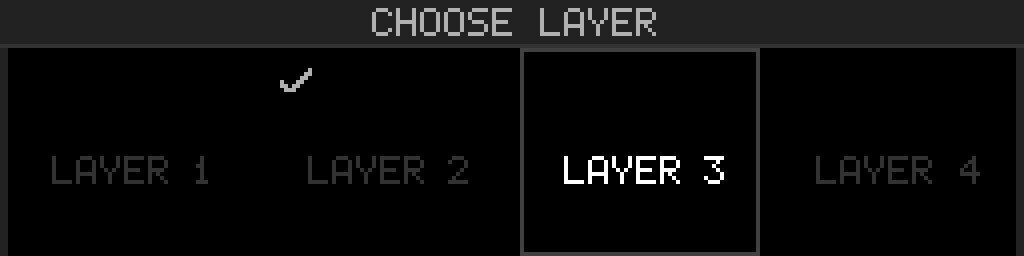
Long-press Select on the pencil or on a LAYER-list row for Options. LAYER is the last row and opens a four-tile chooser:
| Control | Does |
|---|---|
| Turn the encoder Encoder | Move between LAYER 1 – 4 |
| Select | Open that layer’s left parameter list |
| Back | Keep the current layer |
The first rows of that Options menu are the same ones every device has, so giving a Euclid parameter an LFO or a mapping works exactly as it does elsewhere.
Settings parameters
| Parameter | Range | What it does |
|---|---|---|
| Bypass | 0 – 1 | When on, the device is disabled and MIDI passes through unchanged. |
Per-layer parameters
These nine fields belong to the focused layer. Long-press Select on a layer in GRID to open them on the left.
| Parameter | Range | What it does |
|---|---|---|
| Enabled | 0 – 1 | Turn this Euclidean layer on or off from the LAYER list. |
| Steps | 1 – 16 | Number of steps in the rhythm ring. |
| Pulses | 1 – 16 | Number of hits distributed across the steps. |
| Rate | 0 – 6 | Clock division for this layer. |
| Shift | 0 – 15 | Rotate the pattern within the ring. |
| Note | 0 – 127 | MIDI note emitted by hits on this layer (hold Select on GRID to see it on the row). |
| Channel | 1 – 16 | MIDI channel for this layer’s output. |
| Velocity | 1 – 127 | Note velocity for this layer. |
| Gate | 0 – 200 | Note length as percent of the step. |
Parameter values
Bypass
| Value | Name | Meaning |
|---|---|---|
| 0 | Off | Device is active and processes MIDI. |
| 1 | On | Device is bypassed; messages pass through unchanged. |
Enabled
| Value | Name | Meaning |
|---|---|---|
| 0 | Off | This layer does not emit notes. The GRID row stays visible and dim. |
| 1 | On | This layer runs its Euclidean pattern. |