
Midi IN
Receive MIDI from a port
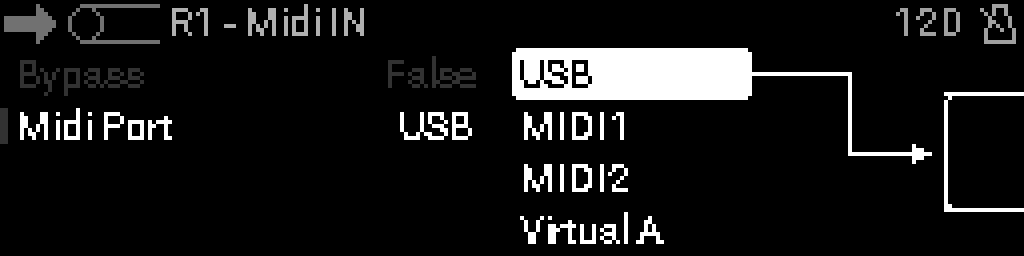
When to use it
Pull MIDI from a physical DIN port, USB device port, or virtual bus into the S32 processing chain.
TIP
Place MIDI In at the start of a rack.
Parameters
| Parameter | Range | What it does |
|---|---|---|
| Bypass | 0 – 1 | When on, the device is disabled and MIDI passes through unchanged. |
| Midi Port | 0 – 7 | Selects which physical or virtual MIDI interface this device uses. |
Parameter values
Bypass
| Value | Name | Meaning |
|---|---|---|
| 0 | Off | Device is active and processes MIDI. |
| 1 | On | Device is bypassed; messages pass through unchanged. |
Midi Port
| Value | Name | Meaning |
|---|---|---|
| 0 | USB | Device port on the USB device connection. |
| 1 | Out 1 | DIN MIDI output 1. |
| 2 | Out 2 | DIN MIDI output 2. |
| 3 | USB Host | Class-compliant device on the USB host port. |
| 4 | Virtual A | Internal virtual bus A. |
| 5 | Virtual B | Internal virtual bus B. |
| 6 | Virtual C | Internal virtual bus C. |
| 7 | Virtual D | Internal virtual bus D. |