
Library
Main Menu → Project → Library shows every saved project plus a New Project row at the top.
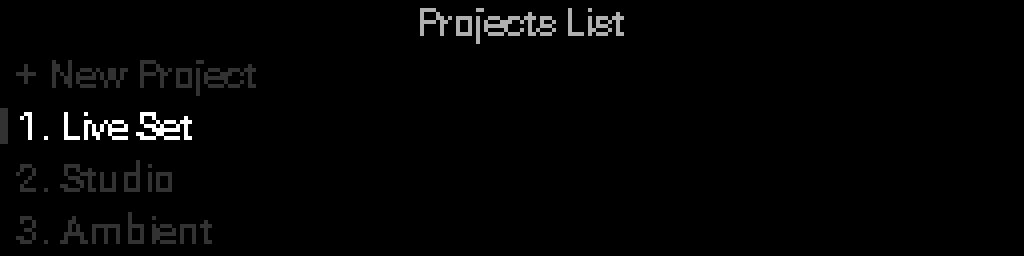
Rows use fixed right-side columns:
| Icon | Meaning |
|---|---|
| SD card | Project is stored on microSD |
| Checkmark | Active (loaded) project |
| Plus | Create a New Project |
| Load arrow | Select loads that project |
| Floppy | Save Project (Project menu only) |
Internal-flash projects leave the SD column blank so icons align vertically across rows.
Browse and load
| Control | Action |
|---|---|
| Turn the encoder Encoder | Move between rows |
| Select | Load the highlighted project (may prompt if current project has unsaved changes) |
| Back | Return to Project menu |
The list grows as you add projects — there is no fixed number of slots.
Create a project
- Highlight New Project (top row).
- Select.
- Choose storage (Internal / microSD) when a card is present and formatted.
- Choose a project type:
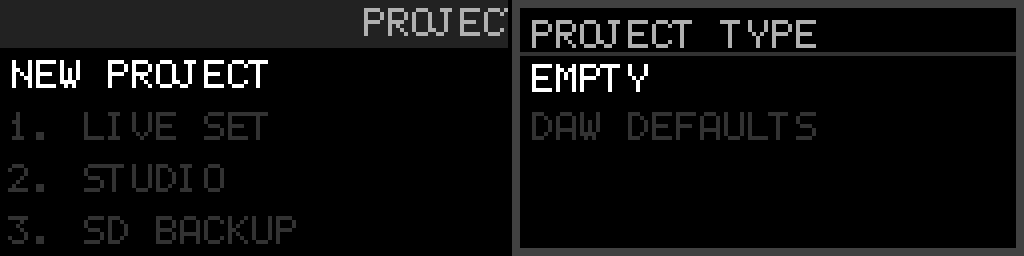
| Type | Macros |
|---|---|
| Empty | All macros off (disabled) — knobs still have default names |
| DAW Defaults | Macro 1 on each knob sends CC (knob number); macros 2–4 stay off |
Both types start at Internal clock, 120 BPM, MIDI channel 1, and encoder = Clock Start/Stop.
- Confirm Create "Project N"?
- The new project becomes active. Configure racks, macros, and Project Settings, then Save Project from the Project menu.
If create cannot save (Directory full, Storage full, Fragmented, or Save failed), you stay on the project you had. Save Project does not replace it with the new Empty or DAW Defaults set. See Troubleshooting.
Side menu (per-project actions)
On any existing project row (not + New Project):
- Hold Select + Back to open the side menu.
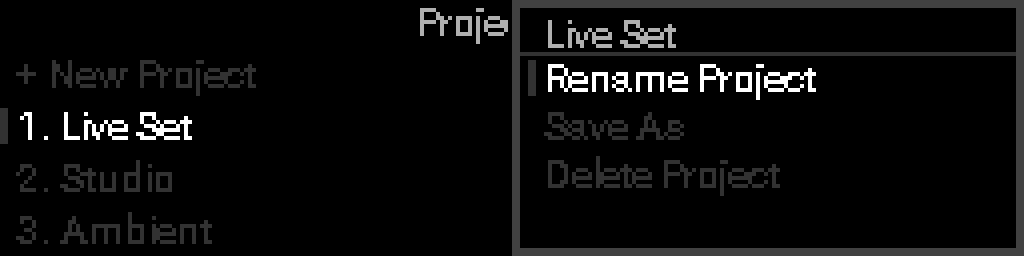
| Action | What it does |
|---|---|
| Rename | Change that project's name |
| Save As | Copy the project under a new name (editor opens with "<name> cp" — edit before confirming) |
| Delete | Remove the project after confirmation |
Save As replaces the old Duplicate workflow: fork a variation, edit the name, then save.
If you see an error while creating, saving, or loading, see Troubleshooting.