
S32 LFOs
16 global LFOs modulate device parameters, LFO parameters, and macros. Each LFO has its own waveform, rate, and depth.
LFO grid
Main Menu → S32 LFOs (or encoder shortcut if configured).
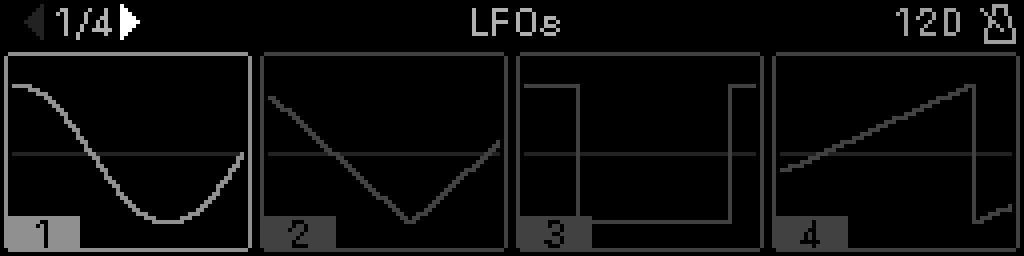
- Four LFOs per page with live waveform preview
- Turn the encoder Encoder selects LFO; Select opens editor
- Left/right arrows change page (1–4)
- Long-press Select opens Options: Review Assignments and Snapshots. The focused cell has Gray6 L-corners; while you hold Select the header circle and square fills. Select + Back does not open this menu.
Snapshots stores and recalls all 16 S32 LFO configs (and CV16 LFO configs when a CV16 module is in the project). It does not store assignment wiring — after recall, existing assignments keep running. See LFO snapshots.
LFO editor
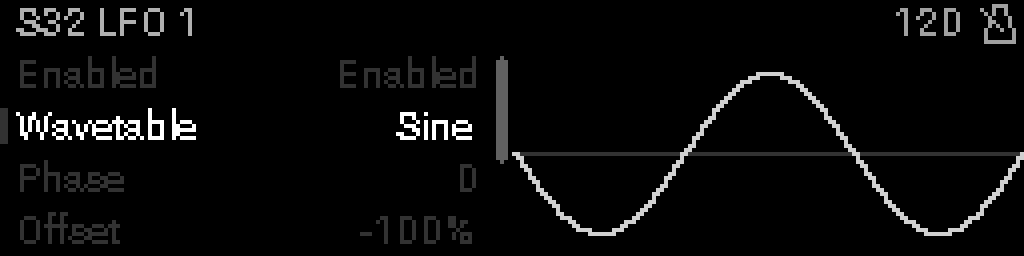
The header reads L1/LFO (or L1/CV16) in an open-left tab. Tap Select on a value to latch sticky edit; tap Select again to keep it. Back restores the value and leaves the editor. Long-press Select on a row opens Options.
| Parameter | What it does |
|---|---|
| Enabled | LFO on/off |
| Waveform | SINE, TRIANGLE, SQUARE, SAWTOOTH, FOLD, S&H, EXP., STEPPED, DOUBLE SINE, REV SAW, BELL, DOUBLE TRI, SMOOTH RND, TRAPEZOID, PUMP, ROUND SQ, HALF SINE |
| Frequency | Speed (or division when synced) |
| Phase | Start position in the cycle |
| Amplitude | Modulation depth |
| Offset | DC offset added to output |
| Sync | Lock rate to project clock |
Any of these rows can be taken out of snapshots on its own: highlight it, then Options → IN SNAPSHOT. Handy for a rate you ride against the tempo while snapshots still swap waveform and depth. See Keep one parameter under your hands.
Assign to a device parameter
From any rack device parameter list, open Options → Modulation → Assign LFO:
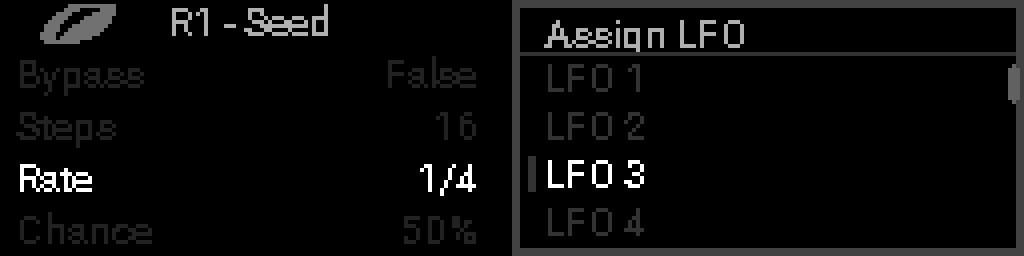
One LFO per parameter. LFO badges appear on assigned parameter rows.
A project can hold at most 64 LFO assignments (distinct targets). Re-assigning an LFO to a parameter that already has one still works at the cap; adding a new target when full shows LFO ASSIGNMENTS FULL (64 MAX).
Review Assignments (LFO grid → Options) lists every target of the highlighted LFO. The title shows that LFO’s count as LFO N (count/64). Duplicate devices in a rack are labeled R1 ARP #1, R1 ARP #2, …; Step Seq / Euclid rows use [N] step/layer prefixes like Perform’s macro labels. Selecting a Step Seq [N] row opens that step’s parameter panel with the assigned field highlighted. Selecting an Euclid [N] row opens that layer’s left parameter list.
LFO-to-LFO modulation
An LFO can modulate another LFO’s parameters (frequency, amplitude, phase, etc.) within the same domain — either S32 LFOs or CV16 LFOs, not cross-domain.
From the LFO editor
- Open Main Menu → S32 LFOs and select the target LFO (the one whose parameter will be modulated).
- Highlight the parameter row (e.g. Frequency).
- Open Options → Modulation → Assign LFO and pick the source LFO.
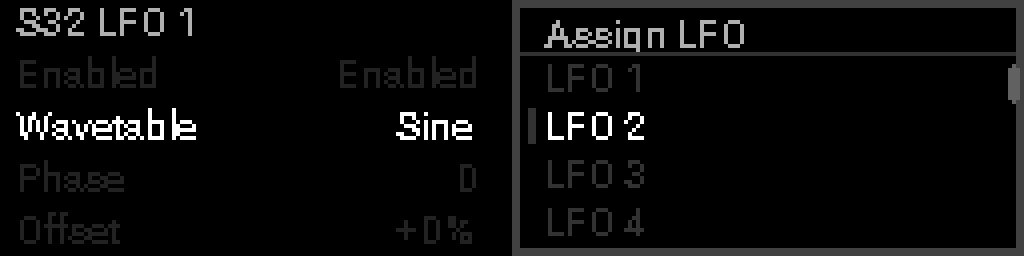
From a knob macro
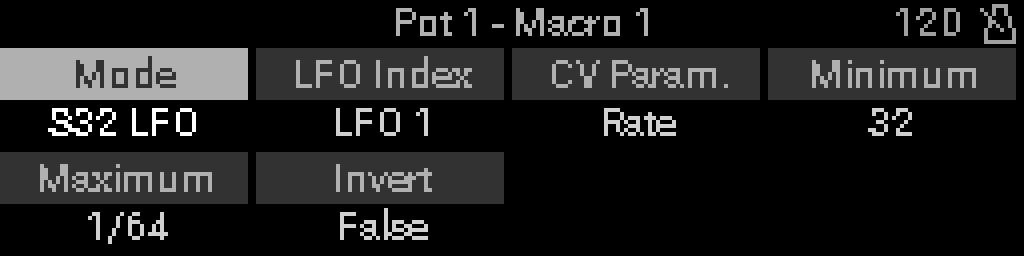
Set macro mode to S32 LFO Parameter, pick the target LFO and parameter, then map knob travel with Minimum / Maximum. This is knob → LFO mapping — see Mapping and S32 LFO macro mode.
Loop prevention
The firmware rejects assignments that would create a modulation loop in the same LFO domain:
| Blocked case | Example |
|---|---|
| Self-modulation | LFO 3 → LFO 3 frequency |
| Direct cycle | LFO 1 → LFO 2, then LFO 2 → LFO 1 |
| Longer chain cycle | LFO 1 → LFO 2 → LFO 3 → LFO 1 |
WARNING
When you try to add an edge that would close a cycle, the assignment is silently refused — the existing routing stays unchanged.
  Allowed:   LFO 1 ──► LFO 2 ──► LFO 3
  Blocked:   LFO 3 ──► LFO 1   (would close the loop above)

  Allowed:   LFO 1 ──► device param
             LFO 2 ──► LFO 1 frequency   (no cycle — device param is not in the LFO graph)

  Blocked:   LFO 2 ──► LFO 1
             LFO 1 ──► LFO 2 amplitude   (2-cycle)
INFO
Cycle detection runs per domain (S32 vs CV16). Cross-domain links cannot form a processing loop, so they are not subject to this check.
TIP
Use LFO-to-LFO for slow sweeps of rate or depth. Keep chains acyclic — fan out one source LFO to many targets, but never route back to an LFO upstream in the same chain.