
Encoder
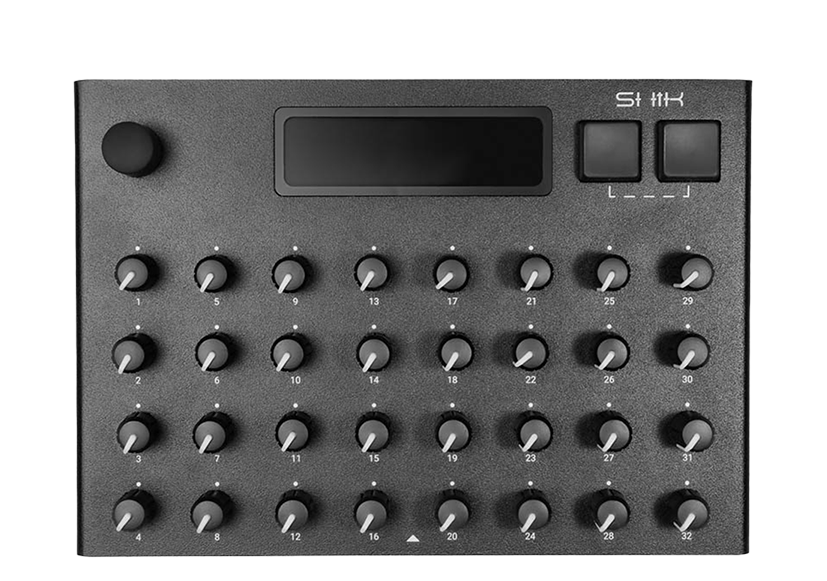
Turn the encoder Turn to move selection; Press the encoder press for shortcuts (see Project → Project Settings → Encoder Button).
 12345
12345Menus, parameters, and Perform view.
Physical controls; numbered down each column (1–4, 5–8, … 29–32).
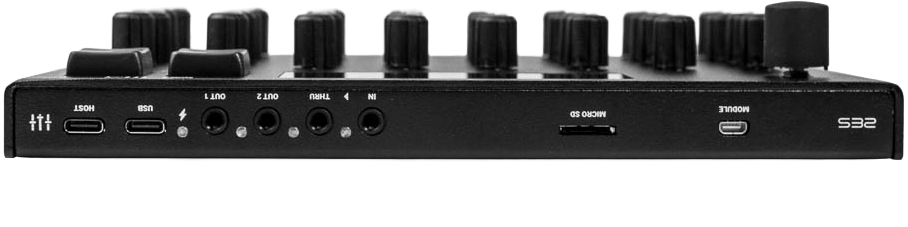 12345678
Connect USB MIDI controllers or class-compliant USB MIDI gear.
Power and data to computer (DAW, editor).
3.5 mm TRS → 5-pin DIN
Second MIDI output.
Passes incoming MIDI through.
Receive MIDI from hardware.
External storage.
Micro HDMI connector (CV16 expansion module).
INFO
Projects and settings are saved on the S32. Use a microSD card for extra backup or larger libraries (see Storage Info).