
Appearance
Filter
Pass or block MIDI types
When to use it
Choose which kinds of MIDI pass, for example notes, CCs and clock, with no program changes.
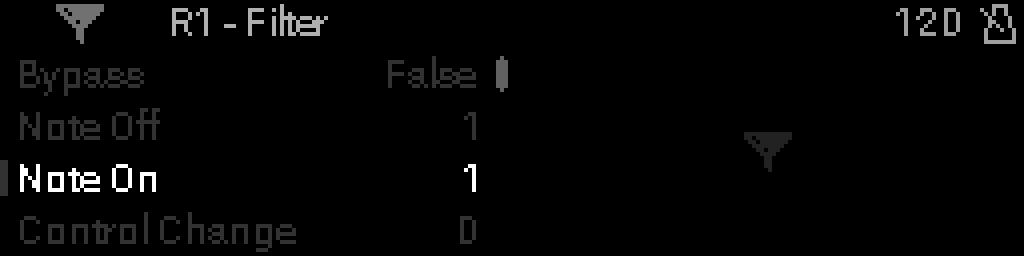
A new Filter blocks everything: set what you want to PASS. Pass NOTE ON and NOTE OFF together.
Parameters
| Parameter | Range | What it does |
|---|---|---|
| BYPASS | OFF / ON | ON: MIDI passes through untouched. See BYPASS. |
| NOTE OFF | BLOCK / PASS | Note releases. |
| NOTE ON | BLOCK / PASS | Notes. |
| CONTROL CHANGE | BLOCK / PASS | Controllers (CC). |
| PROGRAM CHANGE | BLOCK / PASS | Program changes. |
| POLY AFTERTOUCH | BLOCK / PASS | Aftertouch per note. |
| CHANNEL PRESSURE | BLOCK / PASS | Channel aftertouch. |
| PITCH BEND | BLOCK / PASS | Pitch bend. |
| CLOCK | BLOCK / PASS | MIDI Clock. |
| TICK | BLOCK / PASS | MIDI Tick. |
| START | BLOCK / PASS | Start. |
| CONTINUE | BLOCK / PASS | Continue. |
| STOP | BLOCK / PASS | Stop. |
| MIDI TIMECODE | BLOCK / PASS | MIDI Time Code. |
| SONG POSITION | BLOCK / PASS | Song Position. |
| SONG SELECT | BLOCK / PASS | Song Select. |
| TUNE REQUEST | BLOCK / PASS | Tune Request. |
| SYSEX | BLOCK / PASS | SysEx. |
| SYSEX END | BLOCK / PASS | End of SysEx. |
| ACTIVE SENSING | BLOCK / PASS | Active Sensing. |
| RESET | BLOCK / PASS | System Reset. |