
Poly Aftertouch
Firmware menu name: POLY AT
Send polyphonic aftertouch (per-note pressure).
When to use it
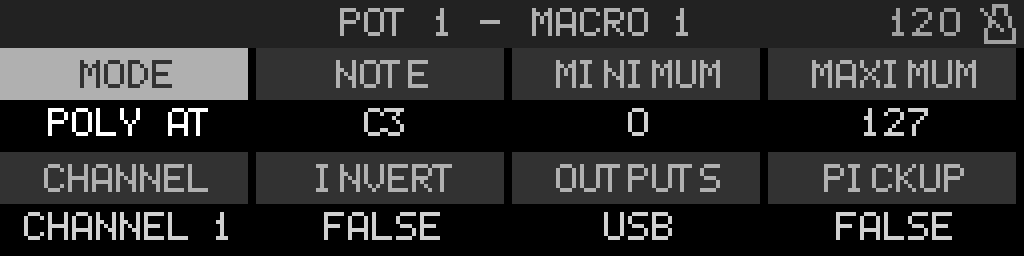
Use POLY AT (polyphonic aftertouch) when the destination expects per-note pressure (0xA0). Set Note to the MIDI note (shown as a name using Middle C), then min/max for the 0–127 pressure range.
Parameters
| Parameter | Range | What it does |
|---|---|---|
| Mode | — | Macro output type. Change this to switch between MIDI, internal routing, and CV16 targets. |
| Note | Note name | MIDI note that receives polyphonic aftertouch pressure. Shown as a note name using Settings → Note Names (default: MIDI 60 = C3). Encoder still steps MIDI 0–127. The knob maps pressure 0–127 on this note. |
| Minimum | Mode-specific | Value sent when the knob is at minimum travel. Units follow the target (MIDI 0–127, 14-bit 0–16383, device parameter native range, CV volts, LFO %, etc.). |
| Maximum | Mode-specific | Value sent when the knob is at maximum travel. Must be greater than or equal to Minimum. |
| Channel | Global, 1 – 16 | MIDI channel for outgoing messages. Global uses the project's global channel setting. |
| Invert | True / False | When True, knob clockwise motion maps to decreasing values (minimum ↔ maximum swapped). |
| Outputs | USB / DIN / combos | Which physical MIDI outputs carry this macro: USB, Out 1, Out 2, or combined masks. |
MIDI outputs
The Outputs field selects one of these port combinations:
- None
- USB
- Out 1
- USB + Out 1
- Out 2
- USB + Out 2
- Out 1 + Out 2
- USB + Out 1 + Out 2