
Settings
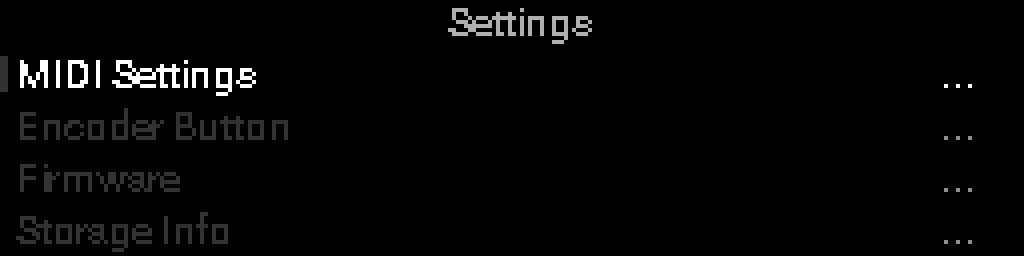
Submenu rows show a three-line list icon on the right. Migrate All Projects shows a ring and dot icon because Select runs the action immediately.
These settings belong to this S32, not to the open project. Clock, default MIDI channel, and the encoder-button shortcut live under Project Settings.
| Item | Purpose |
|---|---|
| Note Names | Octave convention for on-screen note names (Middle C as C3 or C4) |
| Storage Info | Storage usage, microSD status, format storage |
| Firmware | Current version and USB firmware update |
| Migrate All Projects | Update every out-of-date project on internal storage and microSD in one pass |
Note Names
Octave convention for on-screen note names (C3 vs C4). Applies to device parameters (Seed root, Euclid layer notes, Step Seq notes, Envelope key) and the POLY AT macro Note field on Perform and in macro edit.
This stays on the box so note names do not jump when you load another project.
Firmware
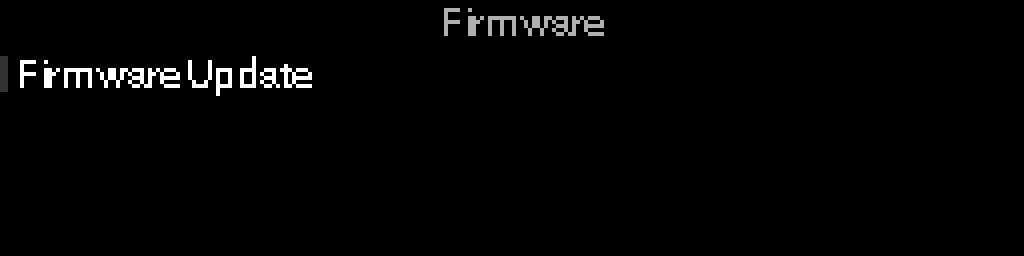
- Version — current firmware version (display only; Select does nothing)
- Firmware Update — USB update flow
To erase all stored projects and format storage, use Storage Info → Format Storage (not the Firmware menu).
Migrate All Projects
After a firmware update, projects saved by the previous firmware version are still on your S32 but are stored in the older format. Loading one asks Update project to current version? and updates just that project. Migrate All Projects does the same for every out-of-date project at once, across internal storage and microSD.
Select it and the S32 first checks each project, then asks how many it is about to update.

Press OK to start, or Back to leave everything untouched. If the active project has unsaved edits you are asked to save or discard them first.
A progress bar tracks the batch and blocks the controls until it finishes.

When it finishes, a summary shows what happened.

| Count | Meaning |
|---|---|
| Updated | Projects rewritten in the current format |
| Skipped | Too old or too new to update (see below) — projects that were already up to date are not counted here |
| Failed | Could not be read or written — the original project is left as it was |
Projects that cannot be updated
The S32 only updates projects saved by the immediately previous firmware version.
- Project needs older firmware first — saved by a much older firmware. Install the intermediate firmware version, open the project once so it updates, then return to the current firmware.
- Project needs newer firmware — saved by a firmware version newer than the one installed. Update the S32 firmware.
Both are reported as skipped; nothing is written to them. The same messages at boot leave that project on storage: Save Project does not overwrite the slot with the empty set shown on Perform.
TIP
- Leave the microSD card inserted for the whole batch — projects on a card that is removed part-way are reported as failed and stay in the old format.
- Nothing is deleted. Projects are rewritten in place, keeping their name and storage location.
- Projects from 0.17 keep clock, channel, encoder, and tempo. Snapshot pads start empty — TAKE new scenes after you update.
- Running the action again is safe; projects already updated are simply skipped.