
Routing
The S32 can send and receive MIDI on several physical and logical paths.
Physical ports
| Port | Typical use |
|---|---|
| USB | DAW on computer (MIDI in and out) |
| MIDI In / Out 1 / Out 2 / Thru | Hardware synths and drum machines (TRS + included DIN adapters) |
| USB Host | USB MIDI keyboard or controller plugged into the S32 |
Virtual MIDI A–D
Virtual ports are internal cables between racks in the same project.
- Add MIDI Output at the end of rack 1.
- Set Output to Virtual A (or B, C, D).
- In rack 2, add MIDI Input (or start chain with devices that accept note input).
- Route rack 2’s MIDI Input from Virtual A.
INFO
Messages go rack → virtual port → other rack without looping back to USB unless you choose to.
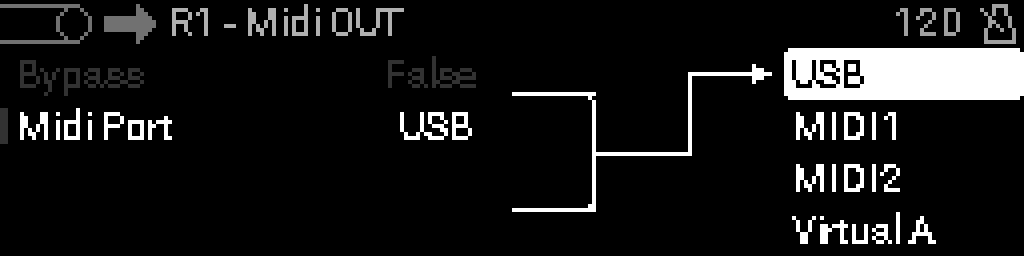
USB Host
Select USB Host as a MIDI Output destination to drive gear connected to the rear HOST port — useful for controlling a USB-only module from a rack chain.
MIDI Output device
Every chain that should produce audible MIDI needs a MIDI Output device. Its Output parameter picks:
- USB
- MIDI Out 1 / 2
- MIDI Thru
- USB Host
- Virtual A, B, C, D
Thru vs processed out
INFO
- MIDI Thru passes input unchanged (hardware-style thru).
- MIDI Output sends the processed chain result.