
Arp
Arpeggiate held notes
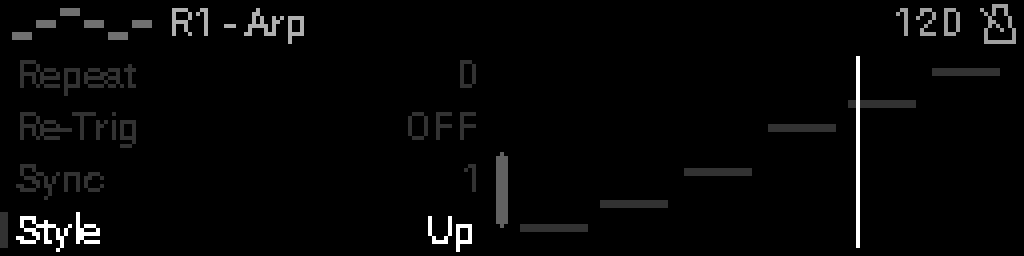
When to use it
Place Arp after a chord or held-note source to cycle through held pitches with configurable pattern, rate, and gate.
INFO
Requires clock (internal or external) when sync is enabled.
Parameters
| Parameter | Range | What it does |
|---|---|---|
| Bypass | 0 – 1 | When on, the device is disabled and MIDI passes through unchanged. |
| Rate | 0 – 6 | Clock division for each step — how fast the pattern advances. |
| Gate | 10 – 200 | Note length as a percentage of the step (10–200%). |
| Chord | -2 – 2 | Adds parallel notes above each held pitch (−2 to +2 diatonic steps). |
| Octave | -5 – 5 | Shifts the arpeggio pitch range by octaves (−5 to +5). |
| Repeat | 0 – 16 | How many times the arpeggio pattern cycles (0 = until release). |
| Re-Trig | 0 – 9 | Restarts the arpeggio pattern on this clock division or on each new note. |
| Sync | 0 – 1 | When on, rate follows MIDI clock; when off, uses async milliseconds. |
| Style | 0 – 17 | Arpeggio order and articulation pattern across held notes. |
| Async Rate | 50 – 1000 | Step period in milliseconds when sync is off (50–1000 ms). |
Parameter values
Bypass
| Value | Name | Meaning |
|---|---|---|
| 0 | Off | Device is active and processes MIDI. |
| 1 | On | Device is bypassed; messages pass through unchanged. When bypass turns off, any notes that were forwarded while bypassed are sent NoteOff downstream so later devices do not keep sounding them. |
Rate
| Value | Name | Meaning |
|---|---|---|
| 0 | 1/1 | One note per bar (quarter-note grid). |
| 1 | 1/2 | Half-note steps. |
| 2 | 1/4 | Quarter-note steps. |
| 3 | 1/8 | Eighth-note steps. |
| 4 | 1/16 | Sixteenth-note steps. |
| 5 | 1/32 | Thirty-second-note steps. |
| 6 | 1/64 | Sixty-fourth-note steps. |
Re-Trig
| Value | Name | Meaning |
|---|---|---|
| 0 | Off | Pattern runs once per held chord. |
| 1 | Note | Restart pattern on every new note. |
| 2 | 8 bars | Restart every 8 bars. |
| 3 | 4 bars | Restart every 4 bars. |
| 4 | 2 bars | Restart every 2 bars. |
| 5 | 1 bar | Restart every bar. |
| 6 | 1/2 | Restart every half note. |
| 7 | 1/4 | Restart every quarter note. |
| 8 | 1/8 | Restart every eighth note. |
| 9 | 1/16 | Restart every sixteenth note. |
Sync
| Value | Name | Meaning |
|---|---|---|
| 0 | FREE | Use async time (ms) instead of clock divisions. |
| 1 | SYNCED | Step rate follows MIDI clock divisions. |
Style
| Value | Name | Meaning |
|---|---|---|
| 0 | Up | Lowest to highest note, repeating. |
| 1 | Down | Highest to lowest note, repeating. |
| 2 | Up-Down | Ascend then descend without repeating endpoints. |
| 3 | Down-Up | Descend then ascend without repeating endpoints. |
| 4 | Up & Down | Ascend and descend, repeating top and bottom. |
| 5 | Down & Up | Descend and ascend, repeating top and bottom. |
| 6 | Converge | Outside notes move inward. |
| 7 | Diverge | Inside notes move outward. |
| 8 | Conv-Div | Converge then diverge. |
| 9 | Pinky Up | Start from lowest, pinky-finger pattern up. |
| 10 | Pinky Up-Down | Pinky up pattern with return. |
| 11 | Thumb Up | Start from highest, thumb-finger pattern down. |
| 12 | Thumb Up-Down | Thumb up pattern with return. |
| 13 | Order | Order notes were played. |
| 14 | Velocity Up | Sort by velocity, ascending. |
| 15 | Velocity Down | Sort by velocity, descending. |
| 16 | Chord Trigger | All notes together each step. |
| 17 | Random | Random order each cycle. |