
Mapping
Mapping is how you connect controls to parameters: knob macros (what a turn sends or drives) and external MIDI (what incoming CCs or notes control).
Modulation with LFOs is covered in Modulation.
Knob macros (Perform)
Each of the 32 knobs has four macro rows (0–3). A macro can:
- Send MIDI (CC, program change, NRPN, SysEx, …)
- Control a rack device parameter
- Adjust an S32 or CV16 LFO parameter (knob → LFO, not LFO → knob)
- Drive a snapshot slot (0–31) on the knobs, LFO, or a rack bank — Perform row SNAP, Knobs, scene name on the right — see Snapshots
- Sweep morph amount — map with SETTINGS → MAPPING → MAP MORPH (hub MAP AMOUNT: Internal knob or External CC) — Perform row MORPH, Knobs TO DROP, 42% on the right — see Morph
A snapshot-slot macro is not a new MIDI mode. Map it from that bank’s SETTINGS → MAPPING → MAP SNAPSHOT. Map morph amount from SETTINGS → MAPPING → MAP MORPH. Both SNAP and MORPH macros edit PART, MIN, MAX, and INVERT. They do not show PICKUP. PART is KNOBS, LFOS, or RACK1…RACK8 (Arrange SONG still uses K / L / R1). MIN / MAX are 0–100% (one percent per encoder detent); internally those endpoints stay 14-bit 0–16383. MODE and PART stop at the first and last value — they do not wrap. The knob (or CC) is the live slot / blend; there is no separate AMOUNT field. LFOs cannot target snapshot index or morph amount. Recalling or morphing a knobs snapshot does not move those controller knobs.
In edit mode, all four rows are visible on the left; macro indicator bars on the right show live value and LFO modulation per row:
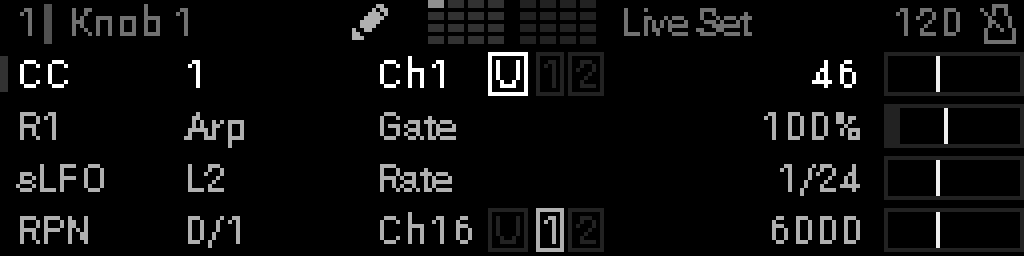
| Row | Example in screenshot |
|---|---|
| CC | CC number, channel, MIDI outputs |
| Device | Rack, device name (e.g. Arp), parameter (e.g. Gate) |
| sLFO | Target LFO and parameter name |
| RPN | MSB/LSB, channel, MIDI outputs |
Open a macro for editing
- On Perform, turn a panel knob to show the knob you want, or Back → Knobs Grid → Turn the encoder highlight a name → Select. The encoder on Perform does not pick a knob.
- Select → edit mode (macro rows 0–3 on the left, indicator bars on the right).
- Turn the encoder Turn the encoder to highlight a macro row (e.g. row 2).
- Select again → macro parameter grid for that row.
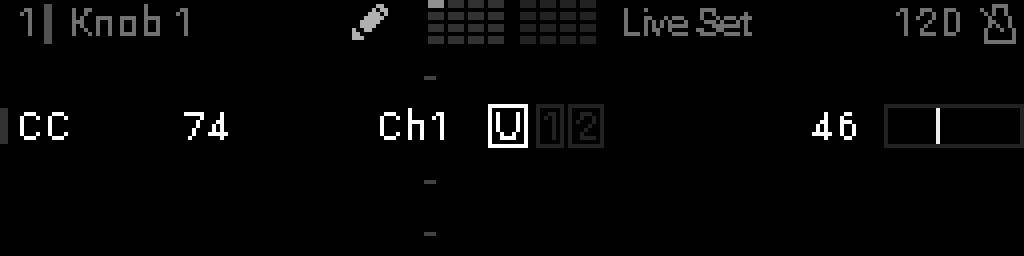
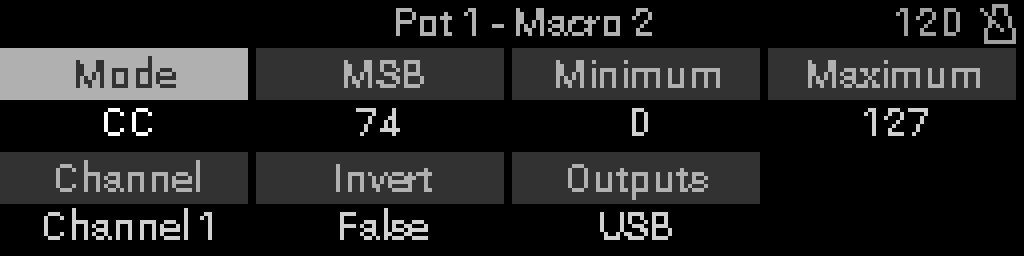
TIP
Back leaves the grid; Back again exits edit mode. Grid edits commit when you leave the macro grid.INFO
Step-by-step: Setting up macros. Every mode: Macro reference.
Knob macro badge
When a knob macro drives a device or LFO parameter, the target row in that parameter list shows a knob-macro badge (filled dots + knob number):
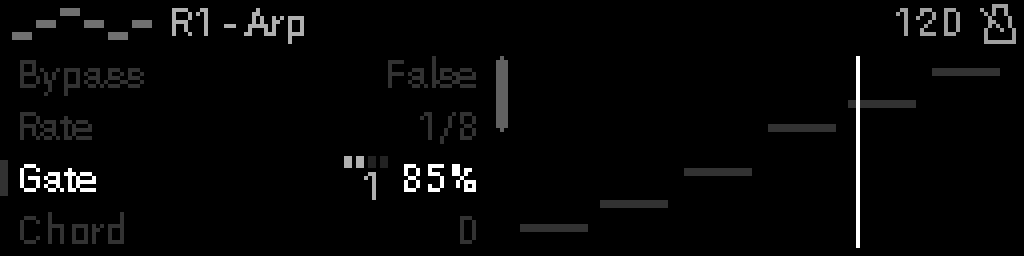
TIP
To edit a knob macro’s mode or range, open it from Perform. To assign or clear the mapping from the parameter list, use Options → Mapping → Internal mapping.
Assign from the parameter list
- Open the parameter list (device or LFO editor).
- Highlight the parameter.
- Long-press Select → Options → Mapping → Internal mapping. The knob list shows a two-digit number then the name (06 Cutoff).
- Pick the knob, then the macro row.
If the parameter is already internally mapped, Internal mapping lists Map Parameter (replace) and Remove Mapping.
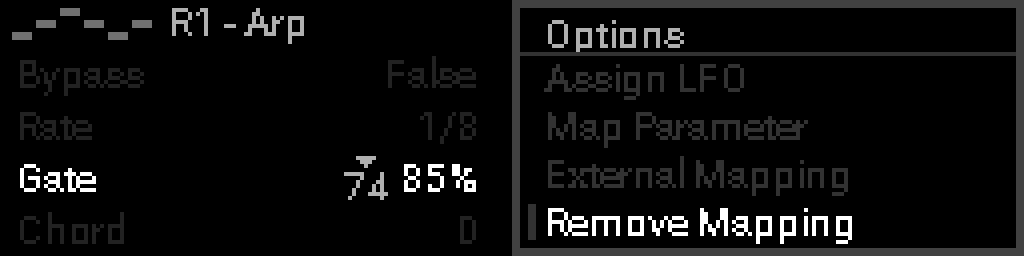
External MIDI mapping
Map incoming MIDI (keyboard, DAW, foot controller) to a device parameter or LFO parameter in the active project:
- Open the parameter list (device or LFO editor).
- Highlight the parameter.
- Long-press Select → Options → Mapping → External mapping.
- Send the note, CC, or 14-bit CC you want from external gear.
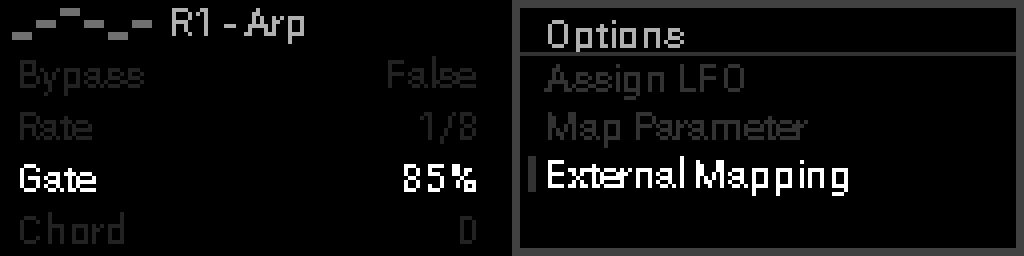
Mapped rows show an external badge (triangle + CC number or note name):
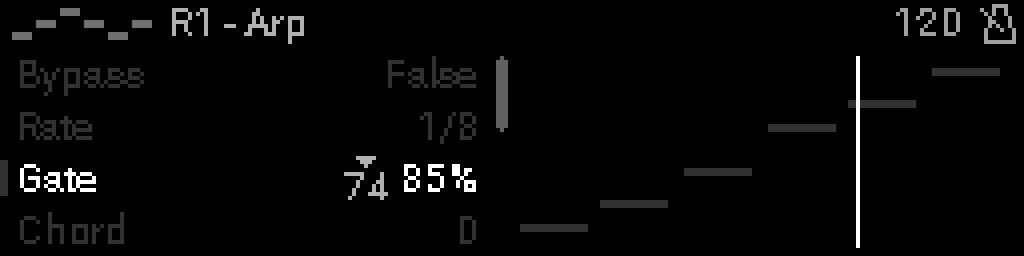
Remove external mapping
Long-press Select on the mapped row → Options → Mapping → External mapping.INFO
Full detail: External MIDI mapping.
One target, one source
Each parameter (or macro modulation slot) accepts one of:
| Source | Configured from |
|---|---|
| Knob macro (Perform) | Macro grid, or parameter list → Options → Mapping → Internal mapping |
| External MIDI | Parameter list → Options → Mapping → External mapping |
| LFO modulation | Parameter list → Options → Modulation → Assign LFO, or macro Options → Modulation → Assign LFO — see Modulation |
WARNING
You cannot stack external mapping and a knob macro on the same target. LFO modulation is separate — see Modulation.