
Looper
Loop and overdub MIDI
When to use it
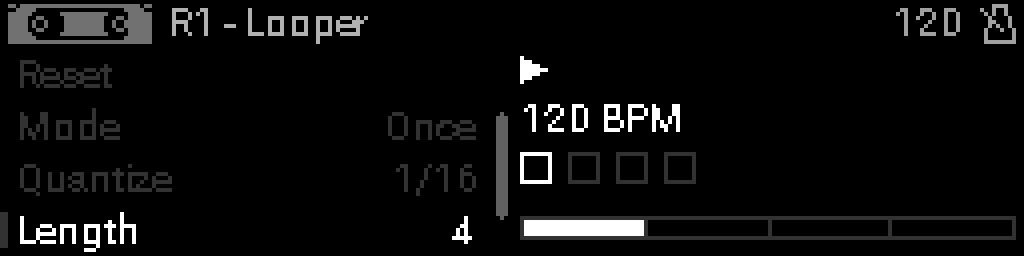
Use Looper to record, overdub, and replay a MIDI phrase inside the rack.
INFO
Needs clock for synced loop length and quantize.
Parameters
| Parameter | Range | What it does |
|---|---|---|
| Bypass | 0 – 1 | When on, the device is disabled and MIDI passes through unchanged. |
| Record | 0 – 1 | Toggles recording/playback (Looper shows Recording vs Idle). |
| Reset | 0 – 1 | Clears the loop buffer (momentary action). |
| Mode | 0 – 2 | Looper state: stop, record, or overdub. |
| Quantize | 0 – 8 | Grid used when recording loop start/end to clock. |
| Length | 1 – 16 | Loop size in bars (1–16) when sync is enabled. |
| Countdown | 1 – 4 | Count-in length before recording starts (1–4 bars). |
Parameter values
Bypass
| Value | Name | Meaning |
|---|---|---|
| 0 | Off | Device is active and processes MIDI. |
| 1 | On | Device is bypassed; messages pass through unchanged. |
Mode
| Value | Name | Meaning |
|---|---|---|
| 0 | Auto | M2CV: map notes to CV automatically by pitch. |
| 1 | Channel | M2CV: one CV channel per MIDI channel. |
| 2 | Gate | M2CV: emit gate/trigger voltages from note on/off. |
Quantize
| Value | Name | Meaning |
|---|---|---|
| 0 | Down | Snap to the nearest scale degree below the input pitch. |
| 1 | Up | Snap to the nearest scale degree above the input pitch. |
| 2 | Filter | Drop notes that are not in the scale. |
Countdown
| Value | Name | Meaning |
|---|---|---|
| 1 | 1 bar | One bar count-in before record. |
| 2 | 2 bars | Two bar count-in. |
| 3 | 3 bars | Three bar count-in. |
| 4 | 4 bars | Four bar count-in. |