
Appearance
Seed
Random melody generator
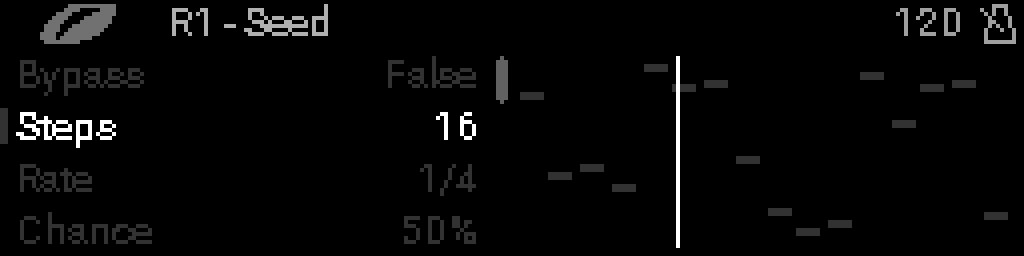
When to use it
Grow a melody from a number. When you like the notes, set CHANCE to 0% or turn LOCK on to keep them. Set DENSITY to 100% to keep the rhythm too.
The notes are chromatic. Put a Scaler after Seed to keep them in key.
INFO
Put a Clock before it in the rack. Without one it doesn't play.
Parameters
| Parameter | Range | What it does |
|---|---|---|
| BYPASS | OFF / ON | ON: MIDI passes through untouched. See BYPASS. |
| STEPS | 1 – 32 | Length of the melody in steps. |
| RATE | 8 BARS – 1/64 | Length of each step. |
| CHANCE | 0% – 100% | How often a step's note moves to a nearby note as it plays. 0% keeps the melody as it is. |
| LOCK | OFF / ON | ON: the notes stop changing. With DENSITY under 100%, rests still fall at random. |
| SEED | 0 – 255 | Starting number of the melody. 0 picks a random one. |
| ROOT NOTE | C-2 – G7 | Lowest note the melody uses. |
| NOTE RANGE | 12 – 48 | How many semitones the melody spans, from ROOT NOTE up. |
| DENSITY | 0% – 100% | Chance that a step plays. A skipped step starts a rest. |
| GATE | 10% – 200% | Note length as a share of the step. |
| GATE SPREAD | 0% – 100% | Random change to GATE on each note. |
| REST LENGTH | 1 – 8 | How many steps a rest lasts. |
| REST SPREAD | 0% – 100% | Random change to REST LENGTH. |
| VELOCITY | 1 – 127 | Velocity of every note. |
| CHANNEL | 1 – 16 | MIDI channel of the notes. |