
Limiter
Cap velocity or CC peaks
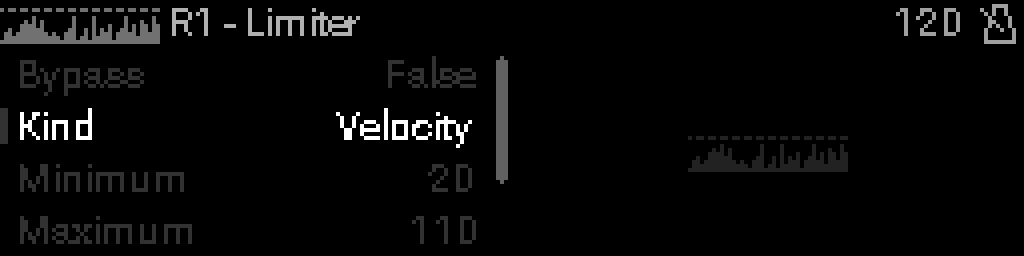
When to use it
Add Limiter to clamp velocity, CC, pitch bend, or channel pressure to a min/max window — protects downstream gear or keeps expression in range.
Parameters
| Parameter | Range | What it does |
|---|---|---|
| Bypass | 0 – 1 | When on, the device is disabled and MIDI passes through unchanged. |
| Kind | 0 – 3 | Which MIDI field the limiter clamps: velocity, CC, pitch bend, or pressure. |
| Minimum | 0 – 127 | Lowest value allowed after limiting (0–127). |
| Maximum | 0 – 127 | Highest value allowed after limiting (0–127). |
| Any Id | 0 – 1 | When on, limit all messages of the selected kind; when off, only the Id below. |
| Id | 0 – 127 | Specific CC or controller number when Any Id is off (0–127). |
Parameter values
Bypass
| Value | Name | Meaning |
|---|---|---|
| 0 | Off | Device is active and processes MIDI. |
| 1 | On | Device is bypassed; messages pass through unchanged. |
Kind
| Value | Name | Meaning |
|---|---|---|
| 0 | Velocity | Clamp note-on velocity. |
| 1 | CC | Clamp control change values. |
| 2 | Pitch Bend | Clamp pitch-bend range. |
| 3 | Aftertouch | Clamp channel pressure. |
Any Id
| Value | Name | Meaning |
|---|---|---|
| 0 | Specific | Limit only the controller set in Id. |
| 1 | Any | Limit all messages of the selected Kind. |